
Managing IPTV services efficiently is crucial for both service providers and users. The panel plays a central role in organizing and delivering content seamlessly. One of its key features is the ability to access and manage channel lists, ensuring a smooth viewing experience.
Accessing these lists often involves generating an M3U URL, which acts as a gateway to your preferred channels. Understanding the server requirements and basic user management is essential for optimal performance. This guide will walk you through the process, offering step-by-step instructions tailored to different devices.
Key Takeaways
- The panel simplifies IPTV management for providers and viewers.
- Channel lists are vital for organizing and accessing content.
- M3U URLs are key to generating channel lists.
- Proper server setup ensures smooth operation.
- User management basics are essential for efficient service delivery.
Introduction to Xtreme IPTV Panel
The Xtream UI has transformed IPTV management with its robust features. Since its official site closure, the platform has evolved significantly, offering providers and users a seamless experience. Recent versions like R22F Beta and R21 Official continue to push the boundaries of IPTV solutions.
One of the standout aspects of Xtream UI is its ability to support over 20,000 channels. This ensures a vast selection of content for viewers. Additionally, EPG integration enhances the user experience by providing detailed program guides. Multi-device compatibility further adds to its versatility, making it accessible on various platforms.
Understanding the difference between Main and Loadbalancer servers is crucial. The Main server handles core operations, while the Loadbalancer ensures smooth distribution of resources. This balance is essential for maintaining a reliable service.
For providers, the reseller management system is a game-changer. It allows for efficient credit tracking and user management. Transcoding profiles and on-demand streaming modes further enhance the platform’s capabilities, catering to diverse viewing preferences.
| Feature | Main Server | Loadbalancer Server |
|---|---|---|
| Primary Function | Core operations | Resource distribution |
| Performance | High processing power | Balanced load handling |
| Use Case | Centralized management | Scalability and redundancy |
Xtream UI continues to innovate, making it a top choice for IPTV providers. Its comprehensive features and user-friendly design ensure a smooth and efficient service for all users.
Prerequisites for Accessing the Channel List
Preparation is key to unlocking the full potential of your viewing experience. Before accessing the desired content, ensure you meet specific requirements. These include having the right credentials and compatible devices.
Required Credentials
Accessing the system requires valid login details. Admin and reseller accounts have different credentials. Admins need full access, while resellers operate with limited permissions. Always ensure your username and password are correct.
Two-factor authentication adds an extra layer of security. Look for the “I Am Not Robot” checkbox during login. This step ensures your account remains protected from unauthorized access.
Supported Devices
Compatibility is crucial for a smooth experience. Popular options include Android TV, Firestick, and MAG Enigma devices. Each requires specific setup steps. For MAG Enigma, MAC address registration is mandatory. Ensure the format follows standard guidelines.
Apps like IPTV Smarters Pro are widely supported. Check the minimum system requirements for your device. This ensures optimal performance and avoids interruptions during streaming.
Logging into the Xtreme IPTV Panel
Logging into the Xtreme IPTV system is straightforward with the right steps. The process ensures secure access to the panel, allowing you to manage your services efficiently. CAPTCHA verification is a mandatory step, adding an extra layer of security.
Begin by entering your username and password on the login page. Complete the CAPTCHA verification by checking the “I Am Not Robot” box. This step prevents unauthorized access and ensures your account remains secure.
If login attempts fail, check your browser’s cookie settings. Ensure they are enabled to allow proper session management. VPN conflicts can also cause issues, so disable VPNs temporarily if needed.
Before proceeding, always check your credit balance on the dashboard. This ensures you have sufficient resources for account creation and management. A low balance can disrupt operations and limit functionality.
For optimal performance, use compatible browsers like Chrome, Firefox, or Edge. These browsers support the panel’s features without compatibility issues. Avoid outdated or unsupported browsers to prevent login errors.
Follow these security best practices for session management:
- Always log out after completing your tasks.
- Avoid using public Wi-Fi for login attempts.
- Enable two-factor authentication if available.
| Issue | Solution |
|---|---|
| Failed Login | Check cookies, disable VPN |
| Low Credit Balance | Replenish credits before operations |
| Browser Compatibility | Use Chrome, Firefox, or Edge |
By following these steps, you can ensure a smooth and secure login experience. Proper server setup and adherence to security protocols are essential for uninterrupted access to the panel.
Navigating the Dashboard
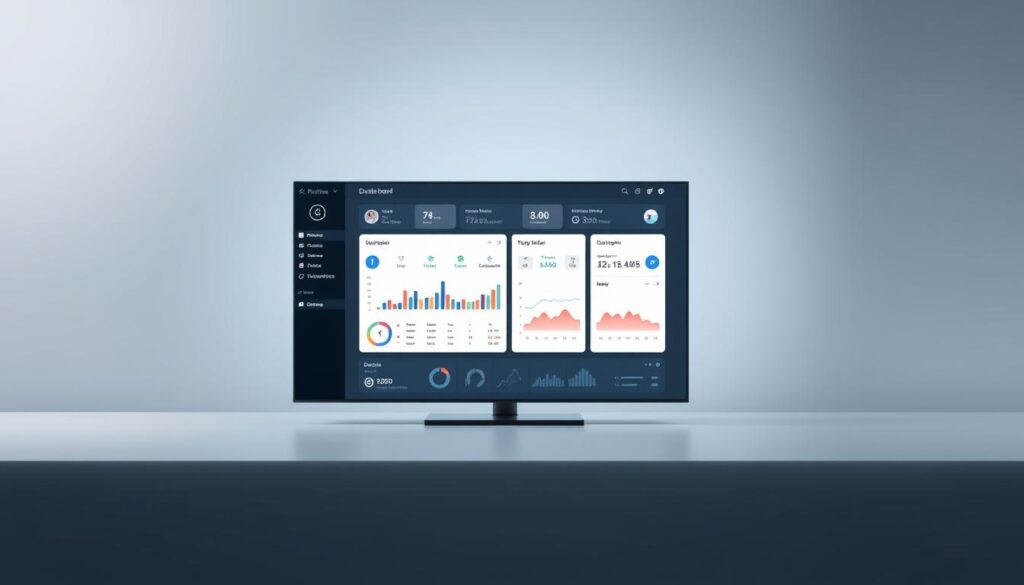
Efficiently managing multiple users and streams is essential for delivering a seamless viewing experience. The dashboard serves as the central hub for overseeing operations, offering tools for bulk editing and real-time monitoring. Understanding its features ensures smooth management of your services.
Understanding the Interface
The dashboard is designed for simplicity and functionality. Key widgets display metrics like active connections, bandwidth usage, and VOD performance. These insights help providers make informed decisions quickly.
Stream categorization is another critical feature. Organizing content into specific categories enhances accessibility for viewers. This ensures they can easily find their preferred shows or channels.
Accessing User Management
User management workflows are streamlined for efficiency. Providers can activate or suspend accounts with a few clicks. Bulk editing tools simplify tasks like password resets and package changes, saving time and effort.
Real-time monitoring features track active connections, ensuring optimal performance. This is particularly useful for identifying and resolving issues promptly. For more advanced user management options, visit our reseller page.
| Feature | Benefit |
|---|---|
| Bulk Editing | Saves time with mass updates |
| Stream Categorization | Enhances viewer accessibility |
| Real-Time Monitoring | Ensures smooth performance |
How to Get a Channel List from Xtreme IPTV Panel
Creating and managing channel lists is a vital part of delivering quality IPTV services. These lists ensure viewers can access their favorite content seamlessly. The process involves selecting users, generating M3U URLs, and downloading the final list.
Step 1: Selecting the User
Begin by choosing the user for whom you want to generate the list. Filters allow you to sort by active or inactive status. This ensures you’re working with the right account. Resellers can also manage multiple users efficiently using bulk selection tools.
Step 2: Generating the M3U URL
Once the user is selected, proceed to generate the M3U URL. Customization options include setting bitrate limits and device-specific formats. Time-shifting and adult content filters can also be applied. Secure sharing methods ensure the URL remains protected.
Step 3: Downloading the Channel List
After generating the URL, download the channel list in your preferred format. Options include TXT and M3U8. Automatic expiration settings are available for temporary access. This feature is useful for resellers managing multiple clients.
By following these steps, you can efficiently create and manage channel lists. Proper use of M3U URLs and customization options ensures a smooth experience for both providers and viewers.
Troubleshooting Common Issues
Addressing common issues in IPTV services ensures a smooth and uninterrupted viewing experience. Whether it’s login problems or errors in generating M3U URLs, resolving these quickly is essential. Proper server setup and configuration play a significant role in minimizing disruptions.
Login Problems
One of the most frequent issues users face is login errors. “Invalid Credentials” messages often occur due to incorrect username or password entries. Make sure to double-check your login details before attempting again.
DNS conflicts can also cause login failures. Ensure your network settings are configured correctly. If the issue persists, clearing your browser’s cache or disabling VPNs may help. Proper server diagnostics can identify and resolve these conflicts efficiently.
M3U URL Generation Errors
Errors during M3U URL generation can disrupt access to your favorite streams. Caching issues are a common culprit. Refreshing the code or clearing your app’s cache often resolves this problem.
Transcoding profile conflicts can also cause errors. Make sure your settings align with your device’s capabilities. Adjusting buffer sizes and ensuring proper server load balancing can prevent these issues. Firewall exceptions for streaming ports are another critical step to ensure uninterrupted access.
- Solve “Invalid Credentials” errors by verifying login details.
- Refresh M3U URLs to resolve caching issues.
- Diagnose server load balancing for optimal performance.
- Adjust transcoding profiles to match device requirements.
- Set firewall exceptions for streaming ports.
By addressing these common issues, you can maintain a seamless IPTV experience. Proper troubleshooting techniques and attention to detail are key to resolving problems quickly.
Conclusion
Streamlining your IPTV setup ensures a seamless experience for both providers and viewers. Xtreme UI offers a robust way to manage channel lists efficiently, making it a top choice for delivering quality service.
For optimal performance, consider server configurations from Hetzner or OVH. These setups ensure reliability and scalability, crucial for handling high traffic. Before deploying channel lists, double-check user credentials, device compatibility, and M3U URL settings.
Future-proof your service by exploring advanced customization options. Expanding your offerings and integrating new features can keep you ahead in the competitive IPTV market. For tailored solutions, consult with experts to maximize your platform’s potential.
This guide has walked you through the essentials of channel management. By following these steps, you can ensure a smooth and efficient service for your users. Ready to take your IPTV setup to the next level? Reach out for advanced consultations today.
FAQ
What credentials are needed to access the Xtreme IPTV Panel?
You’ll need a valid username, password, and the server URL provided by your IPTV service provider. These credentials are essential for logging in and managing your account.
Which devices support Xtreme IPTV Panel?
The panel is compatible with various devices, including MAG boxes, Enigma2, and apps like IPTV Smarters. Ensure your device meets the requirements for seamless access.
How do I log into the Xtreme IPTV Panel?
Enter your server URL, username, and password on the login page. Double-check your credentials to avoid login issues.
What should I do if I encounter login problems?
Verify your username, password, and server URL. If the issue persists, contact your IPTV provider for assistance.
How can I generate an M3U URL for the channel list?
Navigate to the user management section, select the user, and click on the option to generate the M3U URL. This URL contains your channel list.
What if the M3U URL generation fails?
Ensure your account is active and has the necessary permissions. If the problem continues, reach out to your reseller or service provider for support.
Can I download the channel list for offline use?
Yes, once you generate the M3U URL, you can download the file and use it with compatible apps or devices for offline access.
Is it possible to customize the channel list?
Customization depends on your provider’s settings. Some allow you to organize channels by category or filter VOD streams and series.
How do I ensure my channel list is up-to-date?
Regularly refresh your M3U URL or check for updates in the dashboard. Providers often update their content to include new channels or streams.